
Why your podcast guest sounds worse than you (and how to fix it before the session)
Guest audio is the rate-limiter on episode quality. Here's the 48-hour checklist I send every podcast member to forward — five fixes that move the needle without asking someone to build a booth.
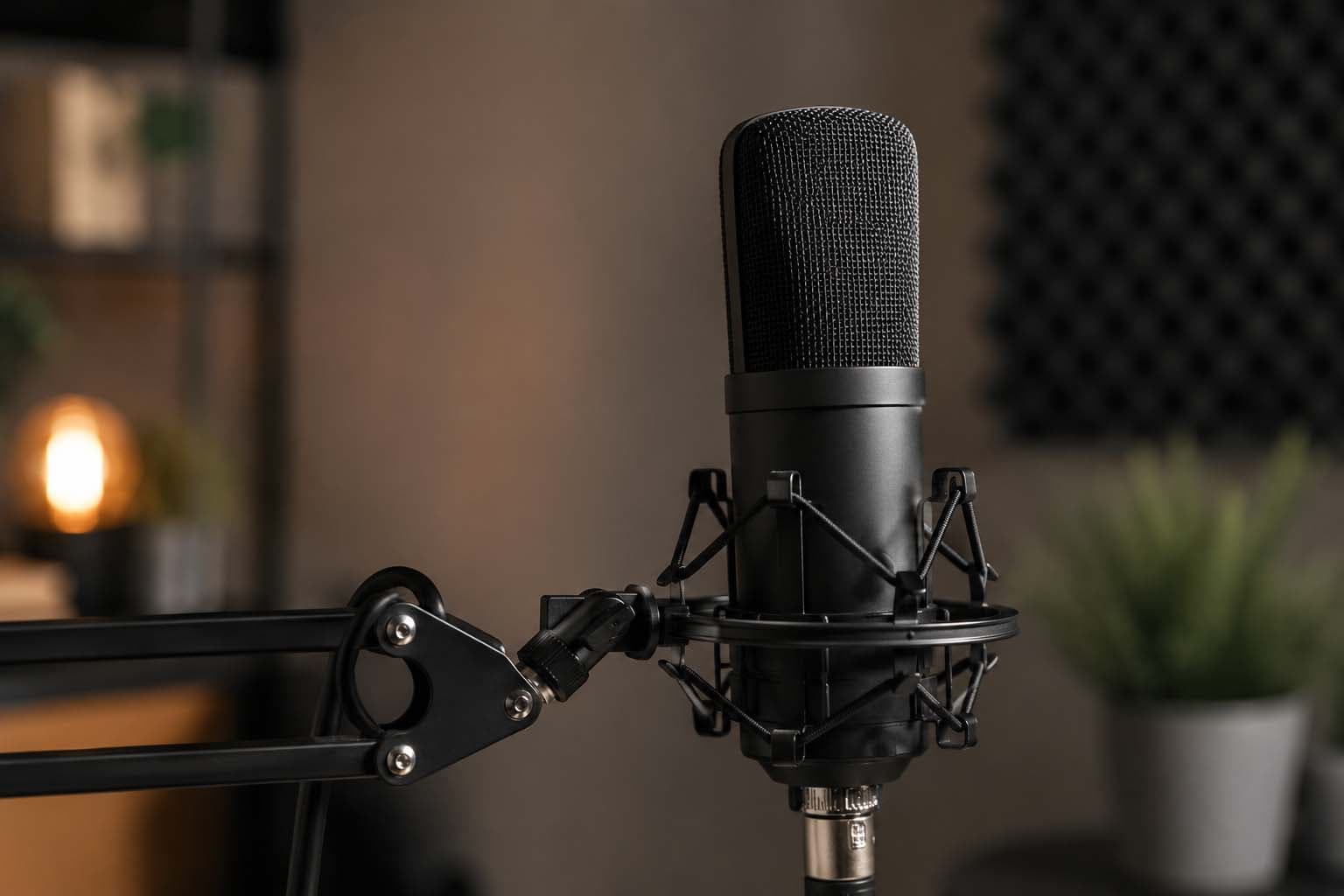
You can control every variable in your recording chain — mic, preamp, room treatment, monitoring — and still ship an episode that sounds like a phone call. Because your guest is recording in their kitchen on AirPods, two feet from a window, with Slack pinging every 90 seconds.
Guest audio is the rate-limiter on episode quality. Not your mic. Not your room. The person on the other end of the Riverside link who's never recorded anything before and doesn't know what you're hearing.
This is the checklist I send every podcast member to forward to their guests 48 hours before the session. It's not comprehensive — it's the minimum viable set of fixes that move the needle without asking someone to buy a treated booth or learn what a noise gate is.
The USB mic that's actually worth recommending
Most guests don't own a microphone. The ones who do own either a £20 clip-on that picks up the neighbour's lawnmower or a £300 broadcast mic they don't know how to position.
The Samson Q2U is the only mic I recommend to guests without qualification. £70-90 depending on the week. USB or XLR. Cardioid pattern tight enough to reject the room. Sounds like a broadcast mic when you're six inches away, sounds acceptable when you're not.
It's not the best USB mic on the market. It's the best USB mic that a guest will plug in correctly, position roughly right by accident, and get usable audio from without reading a manual.
The alternative — the Blue Yeti everyone already owns — is a condenser mic with a pattern wide enough to capture every reflective surface in the room. It sounds incredible in a treated space and like a conference call everywhere else. I've never received guest audio from a Yeti that didn't need corrective EQ.
If your guest already owns a Yeti, the checklist is different: cardioid mode only, gain at 50%, three inches from the grille, pop filter mandatory. Most people skip all four and leave it in omnidirectional mode two feet away. At that point the Q2U is cheaper than the edit time.
The room matters more than the mic
A £90 dynamic mic in a small carpeted room with soft furnishings will outperform a £400 condenser in a kitchen. Every time.
Guests default to recording wherever their desk is. That's usually the worst room in the house — hard floors, tall ceilings, bare walls, a window behind the monitor. You're not hearing the mic. You're hearing the room reflecting the mic back at itself.
The fix: record in the smallest carpeted room in the house. A bedroom. A home office with a rug and a bookshelf. A walk-in wardrobe if it's big enough to sit in. Anywhere with fabric and irregular surfaces.
If the only option is a hard room, ask them to pin a duvet over the back of the chair and put a folded towel on the desk between the mic and the monitor. It's not acoustic treatment. It's stopping the two loudest reflections.
Wired headphones, not AirPods
AirPods introduce latency, compression, and a noise-cancelling algorithm that cuts out the first syllable of every sentence when the speaker starts talking. They're incredible for calls. They're a problem for recording.
Wired headphones solve it. Any wired headphones. The pair that came with an old phone. The over-ear set from 2015. It doesn't matter. You're not asking them to monitor their own voice critically — you're stopping the bleed from your voice coming out of their speakers and back into their mic.
If they don't own wired headphones and won't buy a pair, record anyway. You'll lose the ability to do live crosstalk, but most remote interviews are cleaner when the guest isn't hearing you in real time anyway. You ask the question, they answer it fully, no interruptions. Edit it tight in post.
Kill notifications before you hit record
Slack, email, Messages, calendar alerts. Every notification is a pop, a chime, or a voice saying "you have a meeting in five minutes" halfway through the best take of the session.
Guests don't think to do this. They've never recorded anything before. They don't know that you can hear their phone vibrating on the desk from the other side of the internet.
The checklist: phone on silent, face-down, in another room. Mac on Do Not Disturb. Slack closed, not minimised. Calendar closed. Dog outside. Housemate warned.
It sounds paranoid until you've lost a take to a Ring doorbell.
The 48-hour checklist I send to every guest
This is the exact checklist I give podcast members to forward. Plain text, no jargon, short enough that someone will actually read it.
Before we record:
Microphone: If you have a Samson Q2U, Blue Yeti, or similar USB mic, use it. If not, your laptop mic is fine — we'll make it work.
Room: Record in the smallest carpeted room you have access to. Spare bedroom beats kitchen.
Headphones: Wired headphones if you have them. AirPods work but wired is better.
Notifications: Phone on silent in another room. Mac on Do Not Disturb. Close Slack, email, calendar.
Test the link: Click the Riverside link 10 minutes early so we can check levels before we start.
That's it. Five lines. No embedded YouTube tutorials. No explanations of why. If they follow it, the audio is usable. If they don't, you'll know in the first 30 seconds of the test and you can fix what's fixable.
What to do when they ignore all of it
Some guests will ignore the checklist. They'll join the call 90 seconds late, on AirPods, in the kitchen, with their phone face-up on the desk.
You have three options.
One: record anyway and fix it in post. Noise reduction, corrective EQ, compression to even out the dynamics. It'll take an extra two hours in the edit and it'll still sound worse than your side, but it's shippable.
Two: postpone. "The audio on your end isn't quite where we need it — can we reschedule for tomorrow and I'll send over a quick fix?" Most people are apologetic and grateful for the out.
Three: bring them into the studio. If they're London-based and the episode matters, offer them a seat at Studio 127. Same room, same mics, same monitoring. The episode sounds like an episode instead of an interview conducted through a letterbox.
When guest audio stops being the limiter
Once your guest has a Q2U, a carpeted room, wired headphones, and their phone in another room, the audio is no longer the weakest link. At that point the limiter is the question quality, the edit, and whether the conversation was worth recording in the first place.
But you don't get to that question until the audio is handled. And the audio is handled by sending a checklist 48 hours before the session, not by hoping they'll figure it out.
If you're running a podcast with regular guests and you want to stop spending two hours per episode fixing preventable problems, this is the checklist. Forward it, enforce it, and the episodes start sounding like episodes.
If your guests are in London and the checklist isn't enough, book them a session at Studio 127 — same mic, same room, same producer in the room to make sure it's right before you hit record. That's what the space is for.
Written by
Michael Adeleye
Keep reading
Related articles.
video
What documentary production actually costs in London (and why)
You're shopping for documentary production and the quotes are all over the place. Here's what you're actually paying for — and what moves the number.
Read article
membership
When studio membership actually saves you money (and when it doesn't)
Studio membership isn't always cheaper than booking per session. Here's the honest maths on when £180–950/mo pays off vs. the £50/hr walk-in rate.
Read articleNewsletter
Practical notes from a working SE London studio.
One short email a month — what we shot, what we learned, no spam.
Listen to article
Browser narration
Browser narration. Voice quality varies by device.